Device Details
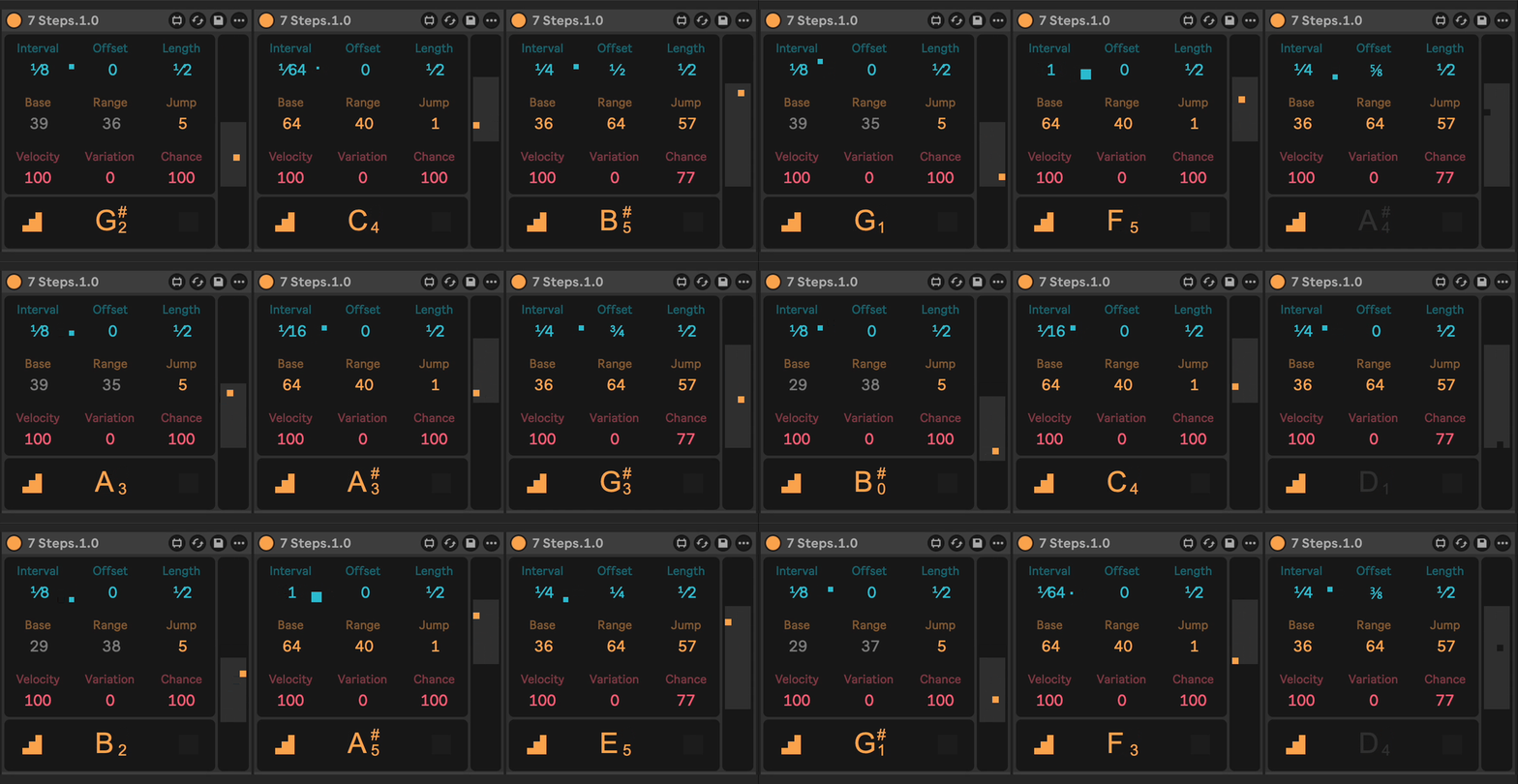
Overview
| Name | Version: | 7 Steps 1.1 |
| Author: | monsterkodi |
| Device Type: | MIDI Effect |
| Description: | A MIDI note generator Use cases: Scan samples in a Simpler or a set of drums in a Drum Rack. Quickly generate simple percussion or bass lines. With parameter automation you can even create pretty wild melodies ;) Neat features: Note out and trigger interval grid displays. Global mute and solo functionality over all 7 Steps devices. Requires Live version 12. In case you give it a try and it doesn't work, please let me know! Have fun! --- v1.1 - fixed note display showing wrong notes |
Details
| Live Version Used: | 12.4.3 |
| Max Version Used: | 9.1.4 |
| Date Added: | Jul 30 2026 21:49:47 |
| Date Last Updated: | Jul 31 2026 19:28:30 |
| Downloads: | 107 |
| ⓘ License: | None |
Average Rating
Log in to rate this device |
-n/a- |
Files
| Device File: | 7 Steps.1.1.amxd |
Comments
@irishmos
thanks a lot for reporting this. i updated the readme that version 12 is required.
i am sorry that it doesn't work for you.
i did some weird stuff in order to get human readable fractions displayed that are also modify-mappable.
if you wouldn't mind you could test something: open the max patch and move the top three value displays down a bit to reveal the actual number inputs below.
my hunch is that the click-through feature might not work in 11.
thanks a lot for reporting this. i updated the readme that version 12 is required.
i am sorry that it doesn't work for you.
i did some weird stuff in order to get human readable fractions displayed that are also modify-mappable.
if you wouldn't mind you could test something: open the max patch and move the top three value displays down a bit to reveal the actual number inputs below.
my hunch is that the click-through feature might not work in 11.
Posted on July 31 2026 by monsterkodi |
Report Issue
Login to comment on this device.
Browse the full library
INTERVAL, OFFSET AND LENGTH can't be adjusted on Live 11 Suite.
Maybe it requires latest 12 and max. :/