Device Details
Overview
| Name | Version: | DJ Filter Control 1.0 |
| Author: | killihu |
| Device Type: | Audio Effect |
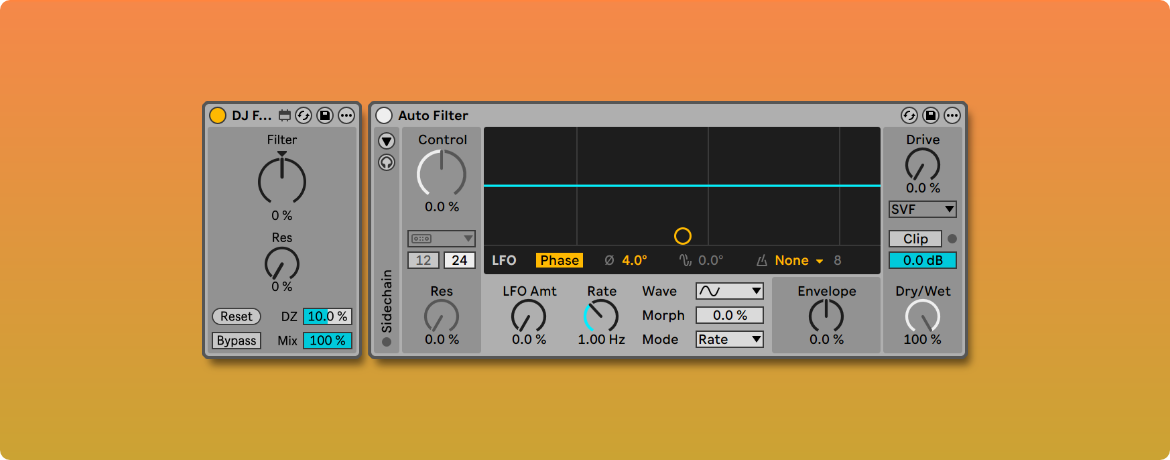
| Description: | On DJ controllers, the physical filter knob has a fixed center position, making it easy to set the knob to its neutral position. However, when using external controllers like Push or others, their knobs/encoders don’t have this fixed center position. This makes it difficult to use Auto Filter in DJ mode. DJ Filter Control is a device designed to improve control over Auto Filter in live performances. To use it, simply load Auto Filter first and then DJ Filter Control before it. Some of the Auto Filter parameters will now be controlled from the device. The device has a control (DZ) that allows you to apply a dead zone to the Filter knob, so that the effect doesn’t begin to apply until the knob has exceeded that range. This expands the neutral position of the knob, where the filter is disabled. And the Reset button returns the Filter knob to its default position. Other controls such as resonance, bypass, or dry/wet have also been added to the device, so that they are available when controlling the device from Push controllers. See details and changelog at: https://killihu.vstskins.com/dj-filter-control/ |
Details
| Live Version Used: | 12.4 |
| Max Version Used: | 9.1.4 |
| Date Added: | Jul 11 2026 00:48:48 |
| Date Last Updated: | No Updates |
| Downloads: | 4 |
| ⓘ License: | None |
Average Rating
Log in to rate this device |
-n/a- |
Files
| Device File: | DJ_Filter_Control_1.0.zip |
Login to comment on this device.
Browse the full library