Device Details
Overview
| Name | Version: | Classic VU metering for Ableton Live 1.0 |
| Author: | Tejay21 |
| Device Type: | Audio Effect |
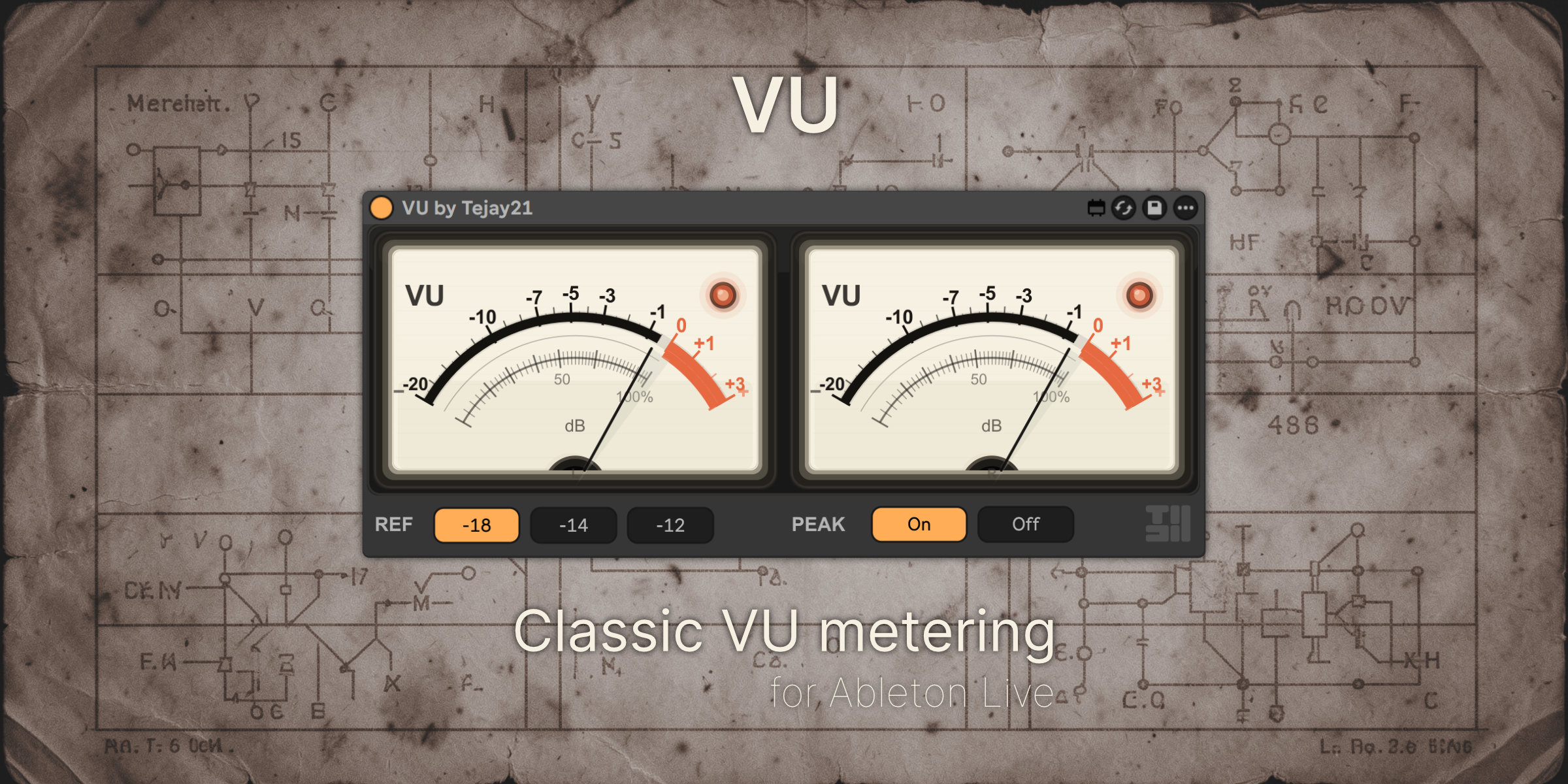
| Description: | VU is a dedicated stereo VU meter for Ableton Live. It gives you the slower, more readable feel of classic analog VU metering, helping with gain staging, balance, and overall program level judgment. By default, it is calibrated to 0 VU = -18 dBFS, with additional options for -14 dBFS and -12 dBFS. Audio passes through unchanged. |
Details
| Live Version Used: | 12.0.5 |
| Max Version Used: | 8.6.2 |
| Date Added: | Mar 14 2026 02:37:15 |
| Date Last Updated: | Apr 26 2026 10:19:32 |
| Downloads: | 0 |
| Website: | https://store.tejay21.com/b/vumeter |
| ⓘ License: | Commercial |
Average Rating
(2) Log in to rate this device |
4 |
Comments
I need to calibrate the VU.
At 0 dB, my digital meter shows -15.
While the plugin seems to be set to -18.
At 0 dB, my digital meter shows -15.
While the plugin seems to be set to -18.
Posted on March 14 2026 by SwerdlowskAudio |
Report Issue
hi @SwerdlowskAudio,
Thanks for pointing this out. The current version of the VU meter is calibrated per channel, so in dual-meter mode each needle reads the left and right channels independently, with 0 VU referenced to the selected per-channel level. Because of that, if you compare it against a stereo digital meter that shows a combined or summed reading, you may see an apparent offset even though the VU itself is behaving as designed.
So this is likely a metering-mode difference rather than a simple calibration error. We’re now considering adding selectable metering modes in a future update, such as L/R, Average, and Sum, to make this behavior clearer and better match different workflows.
Thanks for pointing this out. The current version of the VU meter is calibrated per channel, so in dual-meter mode each needle reads the left and right channels independently, with 0 VU referenced to the selected per-channel level. Because of that, if you compare it against a stereo digital meter that shows a combined or summed reading, you may see an apparent offset even though the VU itself is behaving as designed.
So this is likely a metering-mode difference rather than a simple calibration error. We’re now considering adding selectable metering modes in a future update, such as L/R, Average, and Sum, to make this behavior clearer and better match different workflows.
Posted on March 14 2026 by Tejay21 |
Report Issue
How do I download this
Posted on May 20 2026 by whnn |
Report Issue
Login to comment on this device.
Browse the full library
Thank you very much.