Device Details
Overview
| Name | Version: | Ableton - Elgato Stream Deck 1.0 |
| Author: | holltmusic |
| Device Type: | MIDI Effect |
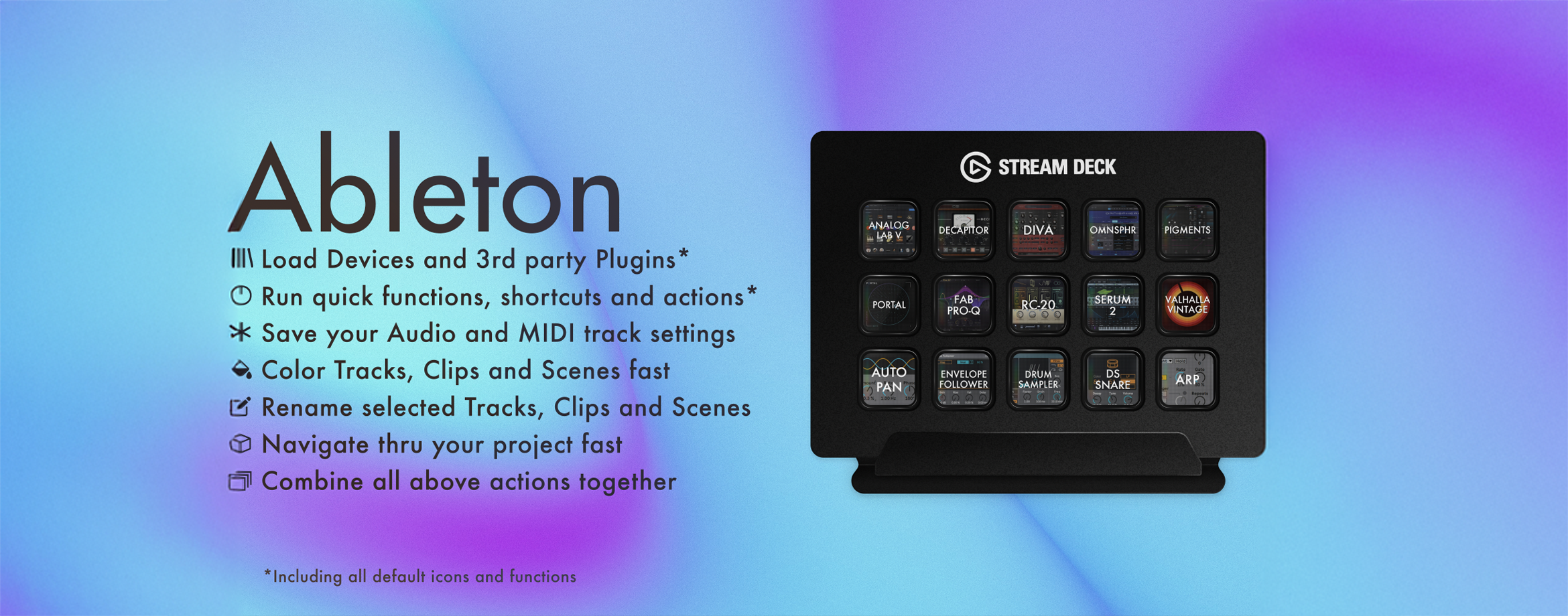
| Description: | the Original Ableton Plugin: the ultimate all-in-one control center for Ableton Live. Keep momentum and move faster with deep session control plus 450+ responsive default & function icons included. This tool is for producers who want speed, clarity, and reliability in real studio and live sessions. Actively maintained, fully supported, and built for daily Ableton use. Control device/plugin loading, functions, shortcuts, navigation, routing, organization, and multi-action workflows from one controller surface. It's is a major upgrade focused on faster actions, stronger stability, deeper Ableton integration, and clearer visual feedback. What's inside? - Devices - Load devices and third-party plugins: Load all Ableton devices & third party plugins (VST3, VST, AU2, AU), Max for Live, Presets & more, directly to the selected track. - Functions - Run functions, shortcuts, with icon states: Get live feedback such as Play, Stop, Record & more, all integrated with 450+ icons. They are also Perfect for reducing repetitive clicks and keeping your hands off the mouse. - Routing - Save audio and MIDI routing presets: Routing lets you quickly set and save audio and MIDI track routing, for faster setup, recall, and workflow consistency. - Color - Apply color across your session: Color lets you instantly apply colors to Tracks, Clips, and Scenes, for quicker visual organization and navigation. and to keep sessions readable. - Rename - rename selected elements: Rename lets you rename Tracks, Clips, and Scenes for cleaner sets and clear structure with just a single press. - Navigation - Move through your project with ease: Navigation lets you move through Ableton instantly with Up, Down, Left, and Right controls, with adjustable step size and a matching direction icon. - Multi - Combine all above actions together in one button: Run multiple actions from one key for advanced workflows and macro-style control. Multi lets you combine actions in one button using 5 modes: Press, Momentary, Toggle, Hold & Dual, with configurable action slots. Improvements - New action architecture across Devices, Functions, Routing, Color, Rename, Navigation, and Multi - Rebuilt Devices workflow with better performance + reliability - Improved preset handling and faster refresh behavior - Clear version mismatch detection between Stream Deck and Ableton - Multi-port communication fallback for connection stability - Faster overall action execution and clearer UI feedback incl. 450+ icons (worth €12/$14) This plugin includes a large default icon set for faster visual recognition during production and performance. You can install the optional icon pack from inside the plugin Help panel for full Icon Library access in Stream Deck. Setup 1. Install the plugin and restart Ableton 2. In Ableton: Preferences -> Link, Tempo & MIDI -> Control Surface -> HJF Plugins 3. In Stream Deck: add an Ableton action to a key and select your action Built for real use This is not just a utility, it is the tool for daily production with Ableton Live. This tool is built to feel its about music again; fast when you are creating, stable when you are performing, and scalable as your workflow grows. Compatibility Stream Deck 6.8.1+ Ableton Live 12.1.10+ (12.1 not supported) Ableton Live 11 macOS and Windows support |
Details
| Live Version Used: | 12.2.7 |
| Max Version Used: | 8.6.2 |
| Date Added: | Nov 24 2025 14:07:34 |
| Date Last Updated: | Mar 01 2026 19:40:57 |
| Downloads: | 0 |
| Website: | https://marketplace.elgato.com/product/ableton-plugin-loader-9c7d4f08-8219-416e-8aca-42cd72a153e4 |
| ⓘ License: | Commercial |
Average Rating
Log in to rate this device |
-n/a- |
Comments
Will there be a Windows version ever released?
Posted on November 25 2025 by chinski |
Report Issue
Yes! Not sure when, but follow on IG or subscribe to my Gumroad page to stay updated!
Posted on December 01 2025 by holltmusic |
Report Issue
Now Available on Windows as well!
Posted on December 03 2025 by holltmusic |
Report Issue
Login to comment on this device.
Browse the full library